Documentation Index
Fetch the complete documentation index at: https://docs.play.ai/llms.txt
Use this file to discover all available pages before exploring further.
Introduction
The PlayAI web embed allows you to integrate AI-powered interactions into your web application. This guide will walk you through the process of setting up and using the PlayAI web embed in your React application.
Installation
First, install the @play-ai/agent-web-sdk package:
npm install @play-ai/agent-web-sdk
Basic Usage
Here’s a step-by-step guide to implement the play.ai web embed in your React application:
Import the necessary dependencies
import { useEffect, useState } from 'react';
import { open as openEmbed } from '@play-ai/agent-web-sdk';
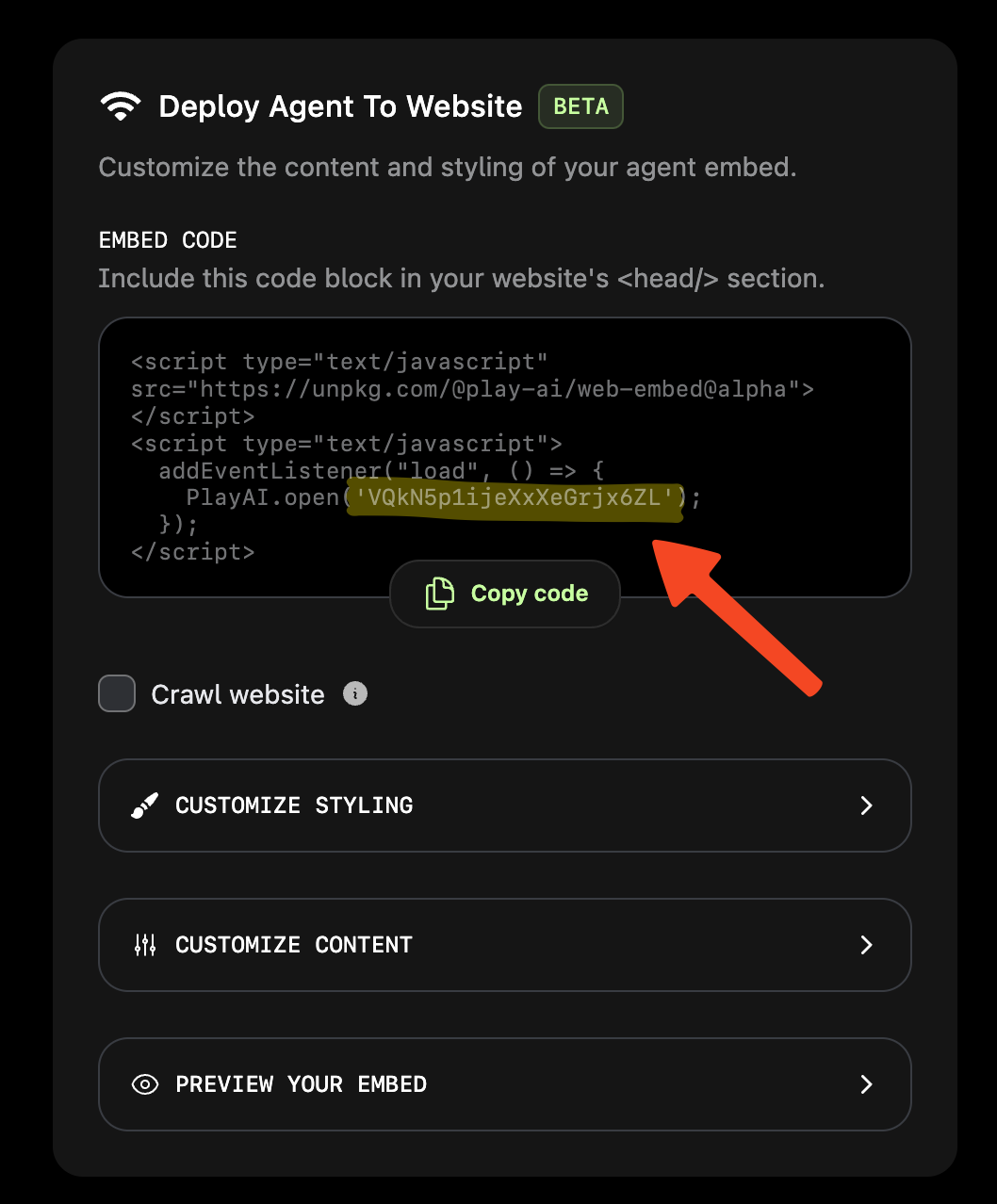
Define your web embed ID
const webEmbedId = 'YOUR_WEB_EMBED_ID';
YOUR_WEB_EMBED_ID with the actual ID provided by play.ai, which can be found in the Agent editor.Define custom events (optional)
const events = [
  {
    name: "change-text",
    when: "The user says what they want to change the text on the screen to",
    data: {
      text: { type: "string", description: "The text to change to" },
    },
  },
] as const;
Implement the custom event handler (optional)
const onEvent = (event: any) => {
  console.log("onEvent: ", event);
  if (event.name === "change-text") {
    setText(event.data.text);
  }
};
Initialize the web embed
useEffect(() => {
  openEmbed(webEmbedId, { events, onEvent });
}, []);
useEffect hook initializes the web embed when the component mounts. See all the parameters that can be passed to openEmbed() here.Render the component
return (
  <>
    <div className="flex justify-center items-center h-[70vh]">
      <div className="font-medium text-2xl">{text}</div>
    </div>
  </>
);
Full Example
Here’s the complete example of a React component using the play.ai web embed.
"use client";
import { useEffect, useState } from "react";
import { open as openEmbed } from "@play-ai/agent-web-sdk";

const webEmbedId = "YOUR_WEB_EMBED_ID";

export default function Home() {
  const [text, setText] = useState("Change this text");

  const events = [
    {
      name: "change-text",
      when: "The user says what they want to change the text on the screen to",
      data: {
        text: { type: "string", description: "The text to change to" },
      },
    },
  ] as const;

  const onEvent = (event: any) => {
    console.log("onEvent: ", event);
    if (event.name === "change-text") {
      setText(event.data.text);
    }
  };

  useEffect(() => {
    openEmbed(webEmbedId, { events, onEvent });
  }, []);

  return (
    <>
      <div className="flex justify-center items-center h-[70vh]">
        <div className="font-medium text-2xl">{text}</div>
      </div>
    </>
  );
}
Customization
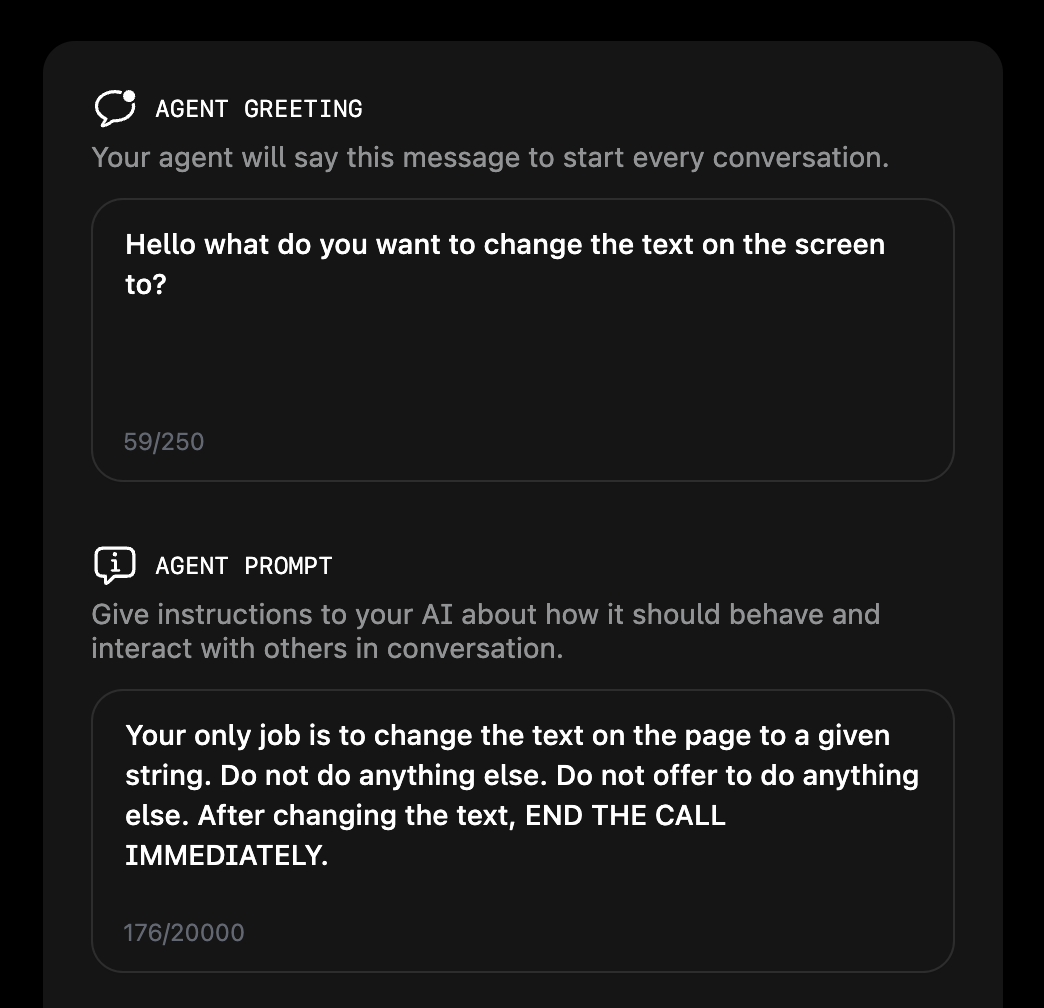
You can customize the behavior of your AI agent by modifying the agent greeting and prompt. In this example, the agent is instructed to change the text on the page and end the call immediately after doing so.
Other examples