> ## Documentation Index
> Fetch the complete documentation index at: https://docs.play.ai/llms.txt
> Use this file to discover all available pages before exploring further.
# PlayAI Agent
> Deploy voice-powered agents to web, apps, and telephony in minutes
PlayAI's AI Agent platform enables you to create intelligent, voice-enabled conversational agents that can understand and respond to user input naturally. Our agents combine advanced language models with high-quality text-to-speech to provide engaging, human-like interactions.
## Key Features
Engage in human-like dialogue with context awareness
Bi-directional voice communication
Define custom actions and integrations
Easy integration into websites and applications
Let your agents learn from your documents and websites
Support for web and mobile platforms
## Getting Started
1. **Quick Start**: Follow our [Agent Quickstart](/documentation/agent/agent-quickstart) guide
2. **Add Actions & Integrations**: Learn [how to add actions and integrations](/documentation/agent/actions-integrations)
3. **Knowledge Base**: Learn [give agents access to your documents and websites](/documentation/agent/crawl-website)
## SDKs
We provide official SDKs for easy integration:
* JavaScript/TypeScript support
* React components
* Easy website integration
* Cross-platform mobile support
* Native performance
* Easy integration
## Web Examples
The following examples show how to use the web SDK to embed an agent on a website using [Web Embed](/documentation/agent/web-embed).
### Form filling
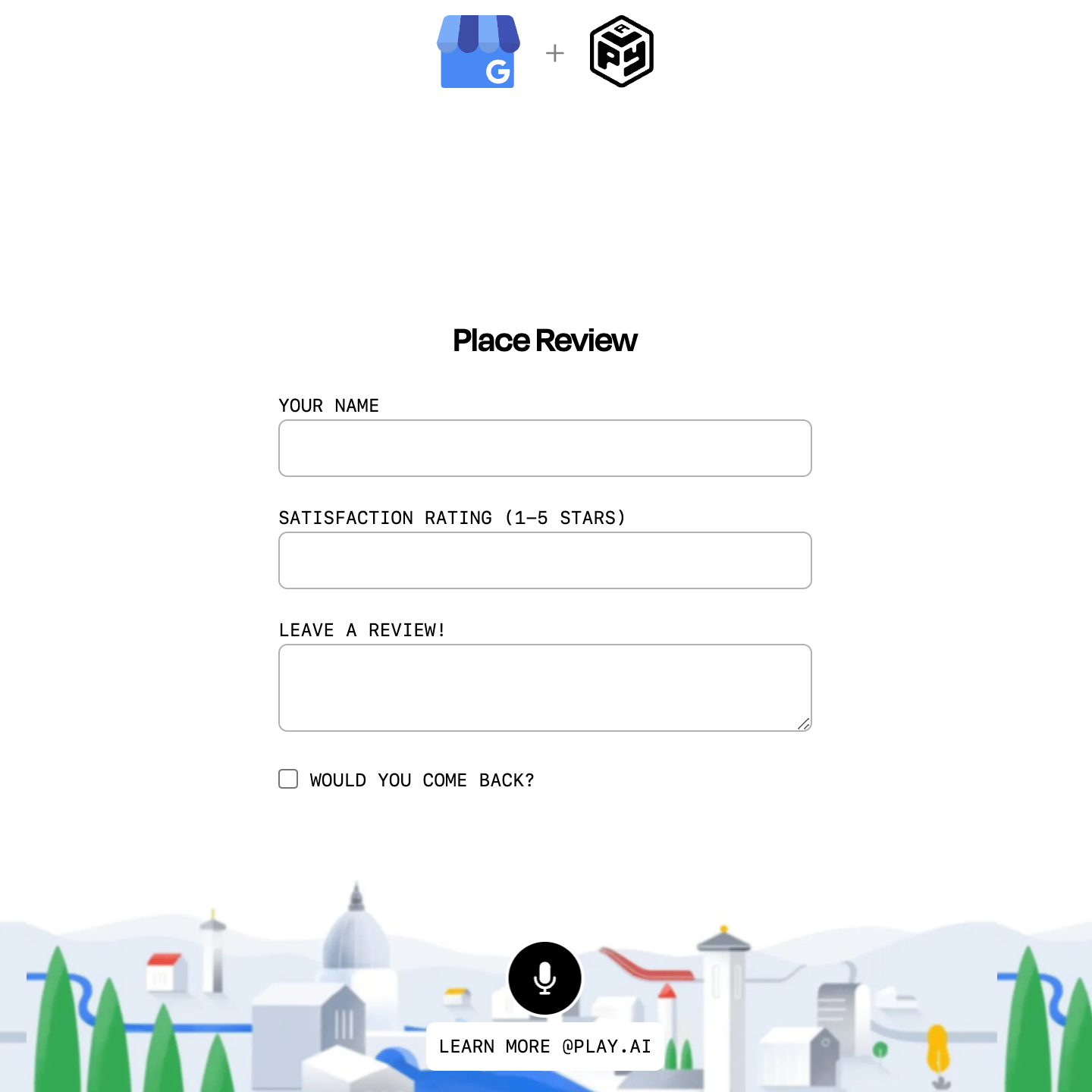
Assists a user in filling out a form. Showcases the ability to pass a custom prompt to the web embed from javascript.
[Live example](https://play.ai/embed/demo/form-filling)
[Code](https://github.com/playht/web-embed-examples/blob/main/form-filling/nextjs/app/page.tsx)
### Minimize web embed
Showcases the ability to minimize the web embed from javascript.
[Live example](https://play.ai/embed/demo/minimize)
[Code](https://github.com/playht/web-embed-examples/blob/main/minimize-embed/nextjs/app/page.tsx)
### Music mood
Plays music based on the user's mood.
[Live example](https://play.ai/embed/demo/music-mood)
### Color math
Game where the user has to guess the color that is created by mixing two other colors.
[Live example](https://play.ai/embed/demo/color-math)
### Color painter
Changes the background color of the webpage based on the user's description.
[Live example](https://play.ai/embed/demo/color-painter)
## API Reference
Explore our comprehensive API documentation:
* [Create Agent](/api-reference/agents/endpoints/v1/agents/post)
* [Manage Agent](/api-reference/agents/endpoints/v1/agents/patch)
* [Agent Actions](/api-reference/agents/endpoints/v1/external-functions/post)
* [Agent Integrations](/api-reference/agents/endpoints/v1/external-functions/post)
* [Web Embed](/api-reference/agents/websocket)
## Best Practices
1. **Agent Design**
* Define clear personality and behavior
* Set appropriate capabilities
* Test thoroughly before deployment
2. **Performance**
* Optimize response times
* Handle errors gracefully
* Monitor usage and limits
3. **Security**
* Secure API credentials
* Validate user input
* Implement proper access controls
## Resources
* [Rate Limits](/documentation/resources/rate-limits)
* [Error Messages](/documentation/resources/error-messages)
* [Troubleshooting Guide](/documentation/resources/troubleshooting)
 ### Minimize web embed
Showcases the ability to minimize the web embed from javascript.
[Live example](https://play.ai/embed/demo/minimize)
[Code](https://github.com/playht/web-embed-examples/blob/main/minimize-embed/nextjs/app/page.tsx)
### Minimize web embed
Showcases the ability to minimize the web embed from javascript.
[Live example](https://play.ai/embed/demo/minimize)
[Code](https://github.com/playht/web-embed-examples/blob/main/minimize-embed/nextjs/app/page.tsx)
 ### Music mood
Plays music based on the user's mood.
[Live example](https://play.ai/embed/demo/music-mood)
### Music mood
Plays music based on the user's mood.
[Live example](https://play.ai/embed/demo/music-mood)
 ### Color math
Game where the user has to guess the color that is created by mixing two other colors.
[Live example](https://play.ai/embed/demo/color-math)
### Color painter
Changes the background color of the webpage based on the user's description.
[Live example](https://play.ai/embed/demo/color-painter)
## API Reference
Explore our comprehensive API documentation:
* [Create Agent](/api-reference/agents/endpoints/v1/agents/post)
* [Manage Agent](/api-reference/agents/endpoints/v1/agents/patch)
* [Agent Actions](/api-reference/agents/endpoints/v1/external-functions/post)
* [Agent Integrations](/api-reference/agents/endpoints/v1/external-functions/post)
* [Web Embed](/api-reference/agents/websocket)
## Best Practices
1. **Agent Design**
* Define clear personality and behavior
* Set appropriate capabilities
* Test thoroughly before deployment
2. **Performance**
* Optimize response times
* Handle errors gracefully
* Monitor usage and limits
3. **Security**
* Secure API credentials
* Validate user input
* Implement proper access controls
## Resources
* [Rate Limits](/documentation/resources/rate-limits)
* [Error Messages](/documentation/resources/error-messages)
* [Troubleshooting Guide](/documentation/resources/troubleshooting)
### Color math
Game where the user has to guess the color that is created by mixing two other colors.
[Live example](https://play.ai/embed/demo/color-math)
### Color painter
Changes the background color of the webpage based on the user's description.
[Live example](https://play.ai/embed/demo/color-painter)
## API Reference
Explore our comprehensive API documentation:
* [Create Agent](/api-reference/agents/endpoints/v1/agents/post)
* [Manage Agent](/api-reference/agents/endpoints/v1/agents/patch)
* [Agent Actions](/api-reference/agents/endpoints/v1/external-functions/post)
* [Agent Integrations](/api-reference/agents/endpoints/v1/external-functions/post)
* [Web Embed](/api-reference/agents/websocket)
## Best Practices
1. **Agent Design**
* Define clear personality and behavior
* Set appropriate capabilities
* Test thoroughly before deployment
2. **Performance**
* Optimize response times
* Handle errors gracefully
* Monitor usage and limits
3. **Security**
* Secure API credentials
* Validate user input
* Implement proper access controls
## Resources
* [Rate Limits](/documentation/resources/rate-limits)
* [Error Messages](/documentation/resources/error-messages)
* [Troubleshooting Guide](/documentation/resources/troubleshooting)